
Why I Recommend Squarespace for Your Business Website

Quick Take:
Squarespace is the platform I recommend for most businesses. It offers strong design flexibility, built-in SEO, and an all-in-one setup that makes sites easier to manage and scale without ongoing maintenance or extra tools. This post also breaks down pricing and compares Squarespace to Wix and Showit so you can choose a platform that supports your goals and long-term strategy.
If you've been in business for a while, you already know your business website is a core part of how people see your brand, decide if they trust you, and ultimately choose to work with you.
And because of that, the platform you choose matters more than most people realize.
After 10+ years in agency, in-house design roles, and now with my own design studio (plus a BFA in graphic design and an MBA in marketing), I've worked inside just about every major website builder you can think of. And while each has its place, Squarespace is the platform I recommend for most businesses' websites.
Let's walk through why.
Why Squarespace Works So Well for Small Businesses
If you’re not a designer, you’re definitely not looking for a platform that’s going to eat up your time. You’re already juggling clients, team members, and a full list of daily responsibilities, just like most of the business owners I work with. What you probably do want is a website that looks strong from a design standpoint, but stays simple to manage and can grow with you as your business evolves.
And Squarespace hits that balance (especially for small businesses) in a way that other platforms rarely do.
For example, my amazing client Rebecca, a florist, came to me wanting a website her team could manage once we wrapped up. They needed to update products, swap seasonal arrangements, adjust homepage promotions, and handle orders, so the site had to be something they could run on their own without constantly relying on a designer.
And honestly, they’ve been running it smoothly for months. Her whole team picked up Squarespace so fast, and with the video how-tos I share at the end of every project, the handoff is always seamless.
Now, I know some designers swear by Showit, and we'll get to a comparison later in the article.
What You Get With Squarespace (as a Business Owner)
These are the real benefits of Squarespace my clients consistently tell me make their day-to-day easier, and the reasons I confidently design on Squarespace for most established online businesses.
1. All-In-One Platform That Replaces Multiple Tools
Squarespace covers your hosting, templates, SEO settings, scheduling tools, analytics, shop, email marketing, and site updates all in one place.
One of my clients has a relatively simple operation: she sends out a newsletter, handles basic invoicing, and manages client inquiries through forms. After we built her Squarespace business website, she realized she could cancel her Honeybook subscription and bring everything into the Squarespace backend.
That's over $500 per year in savings just by consolidating tools she was already paying for separately!
2. You Don’t Need a Designer for Every Little Update
This is what my clients appreciate most after we wrap up a project.
You own your site. You can update services, swap out photos, add blog posts, change pricing, create new landing pages, all without hiring me or anyone else for every little thing.
I provide video tutorials that walk through the Squarespace editor, and because the platform is genuinely intuitive, most clients feel confident making updates within a week or two. You're not locked into ongoing maintenance fees or waiting on someone else's schedule just to make a simple change.
3. Built-In SEO Tools
Squarespace has solid SEO functionality built right in, so you can optimize your pages without needing a developer. You can customize page titles, meta descriptions, URLs, alt text for images—the basics that help your site rank.
Their newer AI-powered SEO features will actually analyze your content and suggest improvements. It's like having an SEO consultant built into your platform.
And because Squarespace websites are built on clean code and mobile-responsive design (which Google loves), you're already starting from a strong technical foundation.
4. Shop and Scheduling Tools
If you sell products, courses, or offer appointments, Squarespace has you covered without needing complex third-party integrations.
The e-commerce functionality is surprisingly robust. You can sell physical products, digital downloads, memberships, gift cards. You can manage inventory, set up discount codes, track orders, all within the same platform.
The scheduling feature works great for consultants, coaches, therapists, service providers. Clients book directly through your website, and it syncs with your calendar automatically.
5. Reliable Performance Without Constant Maintenance
This doesn't get talked about enough: website maintenance.
With other platforms, you're constantly updating plugins, troubleshooting compatibility issues, and dealing with security vulnerabilities. It's practically a part-time job keeping your site running smoothly.
Squarespace updates automatically and doesn't rely on third-party plugins. For busy owners, that reliability eliminates a lot of stress.
6. A Mobile Version That Works
64% of people visiting your site are doing it from their phone. So if your mobile site isn’t optimized or doesn't work right, you might be losing clients.
Every site I design on Squarespace works on mobile from day one, and when I customize things for your brand, it all translates to mobile. You won't deal with weird layouts, text that's too small to read, or buttons people can't tap.
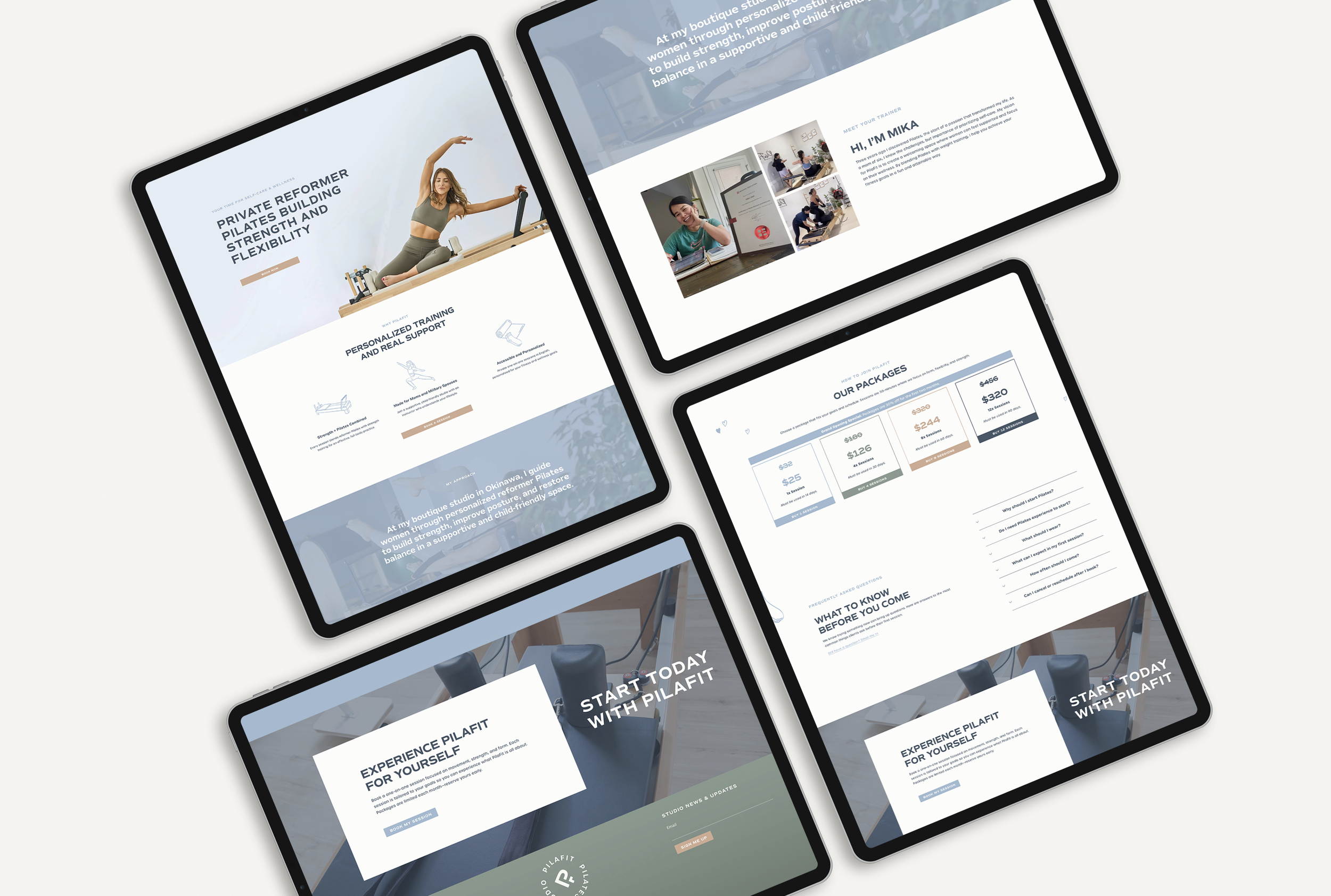
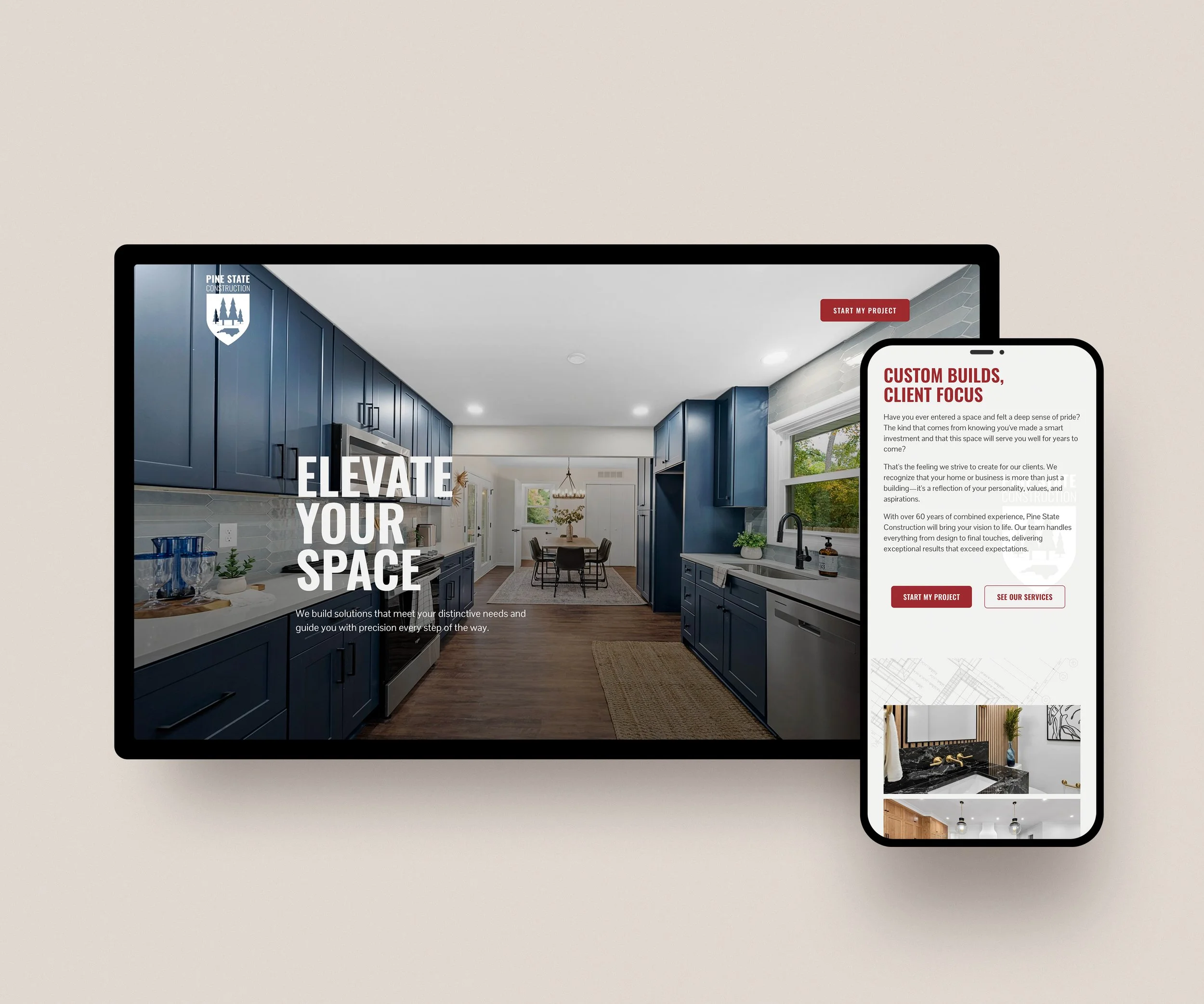
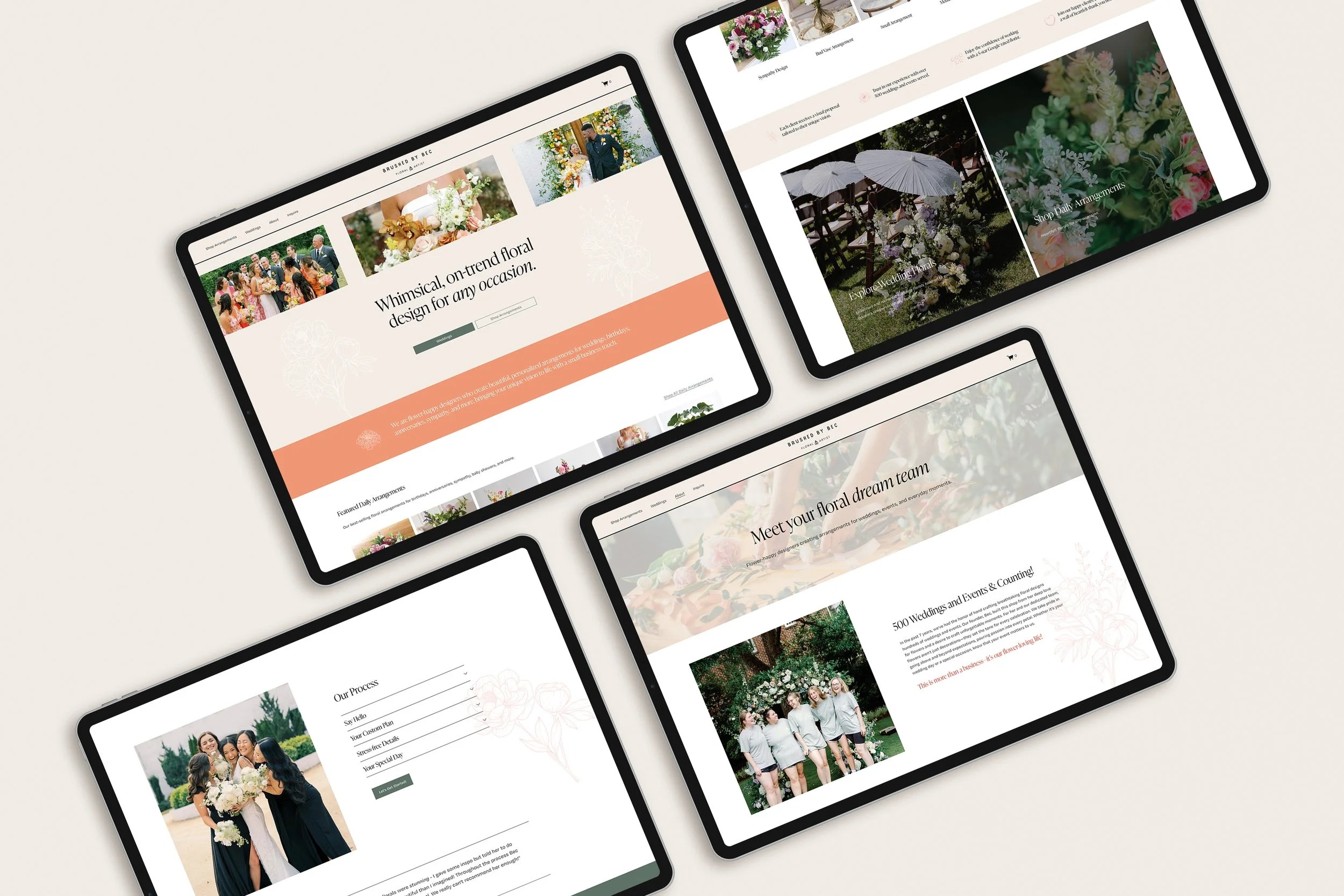
Here are a few other client projects you can explore.
7. One Login for Everything
Your domain, hosting, analytics, email marketing, scheduling, shop, and site editor all live in one dashboard. This feels especially refreshing if you are used to juggling multiple subscriptions and tools.
8. You Can Grow Into It Over Time
Your website doesn't need to be perfect on day one. Actually, it shouldn't be.
A Pilates studio owner I worked with only needed a simple landing page while preparing to open her space. We started with the basics: her credentials, studio location, initial class packages. Just enough to establish her online presence and start building interest.
As her studio grows, we can easily add membership access, online class libraries, more location details, and additional service pages, all within the same platform.
That long-term scalability is one of Squarespace's biggest strengths. She didn't have to pay for functionality she wasn't ready to use yet, and she won't need to rebuild her site from scratch when she's ready to scale.
Squarespace Pricing
For most of my clients, the Core plan (currently $23/month billed annually) is the best fit.
It allows for:
Custom code and CSS (important for brand-specific design)
Use of your brand fonts (not just Squarespace's library)
Advanced analytics
Core gives you everything you need to create a professional, functional business website. You can see which pages people spend time on, where they're coming from, what content resonates. That kind of data informs your business decisions.
You'll also need a domain (your www.yourbusiness.com). That typically runs around $20 per year, which you can purchase through Squarespace, GoDaddy, or any registrar of your choosing.
So when you're looking at how much is Squarespace, you're looking at roughly $300 per year for a professional website platform. For context, that's less than most business owners spend on a single month of Facebook ads.
Squarespace Pricing vs Wix
People ask me how Squarespace pricing compares to Wix pretty often.
Wix is generally more affordable and simple, which makes it a solid choice for early-stage businesses or personal projects. Plans start around $16 per month.
But for an established, growth-minded business that values design, SEO, and long-term expandability, Squarespace vs Wix pricing tells only part of the story: you get more flexibility and higher-quality functionality with Squarespace. You get what you pay for, and if you're serious about your business, the investment is worth it.
Squarespace vs Wix vs Showit: Which Platform Makes Sense For You?
If you're comparing platforms, here's my honest take on who each one serves best.
Squarespace is great for service-based businesses, small e-commerce shops, consultants, coaches, personal brands, creatives with a portfolio, studios with scheduling needs, or anyone selling digital products or memberships. It's highly customizable to fit your brand and flexible enough to create a site that matches exactly what you need. If blogging, hosting podcast episodes, showcasing portfolios, or running an online shop or membership is part of your business, Squarespace has the edge.
Squarespace vs Wix
Wix is very simplistic and basic. It's also the most affordable between the three. This works well for:
side hustles
businesses just starting out who aren't ready to commit or go all-in yet
early businesses that need the most affordable entry point and don't require much customization.
Squarespace vs Showit
Showit works well for photographers and some creatives who want pixel-level control of layouts. It offers full control over where content is placed because it's a drag-and-drop platform. But it has limitations with SEO, e-commerce (you'll have to pair with Shopify), blogging (requires WordPress integration), and other integrations. You'll also need solid design skills to make sure your site doesn't become unaligned and inconsistent over time.
If a certain Showit layout inspires you, I can usually recreate it on Squarespace with stronger stability and functionality.
Final Thoughts: Why I Recommend Squarespace for Your Business Website
After over a decade in design, working across agency teams and in-house roles before starting my own studio, I've seen what happens when someone chooses the wrong platform. They get frustrated, waste time, end up paying more in the long run for workarounds and fixes.
Is Squarespace worth it? Absolutely. It gives you professional functionality with the flexibility to grow, all while being genuinely manageable after our project wraps up.
Ready to create a Squarespace website for your business?
Let's talk about how a custom Squarespace website can support your goals. Book a discovery call to see if we're a good fit. You can also browse my portfolio to see recent Squarespace projects.
Not quite ready for a full website project?
Start with my free Website Audit to get a quick breakdown of how your current site is coming across and where it could improve.

ABOUT THE AUTHOR
Hi, I’m Taryn Schroder
I partner with founder-led businesses building something meant to last. I design brands and websites that align the founder’s identity with how their business is perceived and experienced.
